Tag Archives: sensory strategies

Sensory strategies are techniques used to help children manage responses to sensory input, such as sounds, textures, or movement. These strategies support self-regulation, attention, and participation in learning environments. They are essential for helping children stay calm, focused, and engaged throughout the day.

Attachable FootFidget® Footrest

Flexible Seating Options for Home & School

In this post we take a dive into flexible seating options that are available for classroom and home  learning environments.

First, What Does Flexible Seating Mean?

Sometimes called alternative seating, flexible seating is simply a seating option that is different from ‘traditional’ seating arrangements and is often used to address a sensory need. Traditional seating arrangements may be things like the desk chair students use in a classroom, the dining room chair at the eating table, or the office chair at a work desk. Flexible seating arrangements may be a therapy ball in place of an office chair, or it may be a beanbag in place of the traditional student desk setup. Read on to learn more!

Next, Understand the Importance of Flexible Seating Options in Learning Environments.

Having a variety of seating options helps to ensure all learners have a setup that is most effective for their learning style. Some options may help to address underlying sensory needs, while other options provide the movement that is preferred by students when learning (Cole et al., 2021, 72).   Having just the right seating arrangement can make the difference between a successful learning experience and one that is full of distractions, position changes, and learning sessions that don’t last as long as they should.

Finally, Pick the Right Seating Options. 

Understanding the need (or needs) you are trying to address will help you determine the best seating option(s).

For the wigglers, movers, and bouncers who just need a little extra sensory input to focus and sustain attention, try a seating option that provides movement (vestibular) or light touch (tactile) input. A seating option that provides tactile or vestibular input will help the sensory system that is seeking movement, get it in a way that is more conducive to learning and working. 

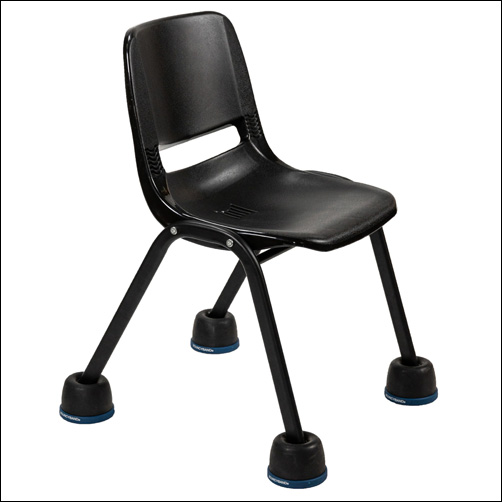
chair with wobble feet attached

Wobble Feet: These are simply four, rubber-domed domed shape ‘feet’ that slip onto a standard chair leg.  The Wobble Feet provides a subtle rocking and a soft bounce feel.  These are especially popular for users who are looking for a “low profile” option; they can be slipped onto a regular classroom chair and are small enough that they are not very noticeable in the sea of classroom chairs. 

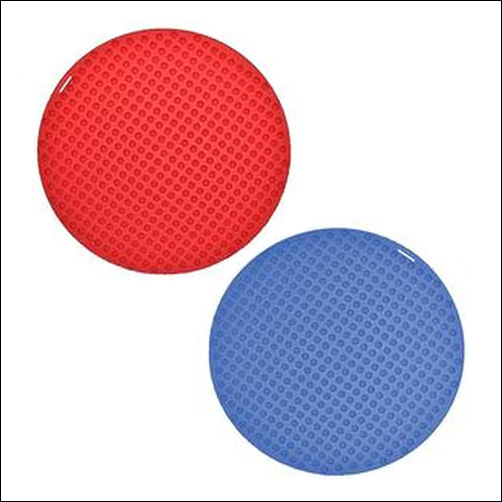
Sensory Spots: Spot Sensory Seats and Senso Seat Pads are flat pads that have a textured side.  This textured side provides subtle sensory input without much challenge to postural stability. They can be used in just about any seating situation and can easily roll up when moving seats.

red and blue senso spot seats, round disks to sit on with a textured side
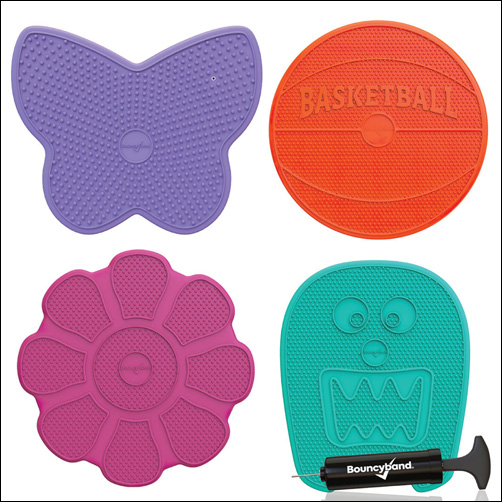
wiggle seat sensory cushion, butterfly shape, basketball shape, flower shape, and monster shape

Cushions: Air filled or foam cushions can be added to just about any chair, bench or even used on the floor.  They are usually round or wedge-shaped but newer versions now offer fun shapes like monsters or flowers.  The amount of air, that can be added, to the air filled cushions is typically adjustable allowing for users to increase or decrease the amount of movement offered.  Cushions are generally portable making them a great option for those who change work areas throughout the day.  For even more convenience options with handles are now available!

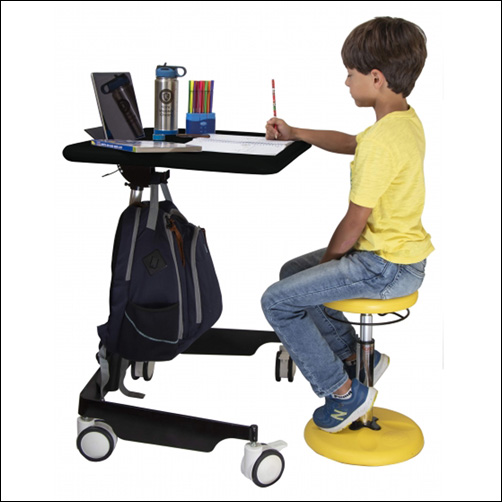
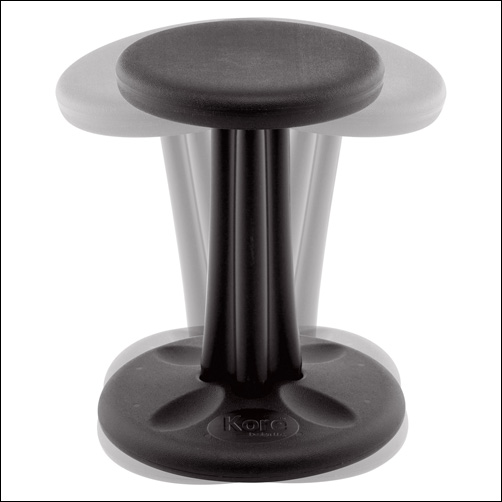
Wobble Stools: The Kore Wobble Chair offers a seating option much like sitting on a stool, with the exception of the innovative rounded bottom that allows the user to rock in all directions.  In addition to the rocking movement, the stool’s shape allows more freedom to move the legs in different positions.  

Black wobble stool
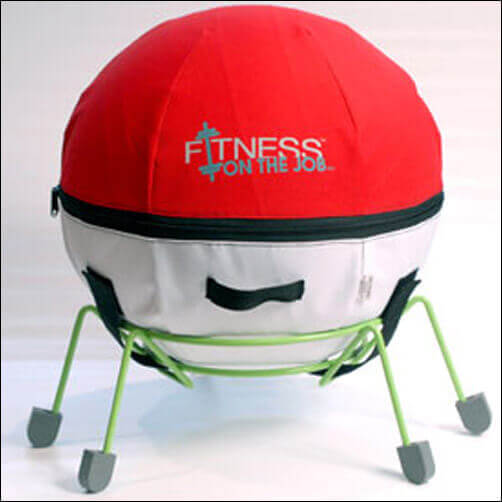
the alert seat a large round ball inside a metal base with wheels for sitting

Ball Chairs: Ball chairs come in all shapes and sizes. At the most basic level a large therapy ball is used in place of a chair. This is a great option for users who need a lot of input but therapy balls are unstable and can be difficult for users with poor postural control.  A base can be added under the ball to help prevent the ball from moving out of position.  Another option is to use a peanut or egg shaped ball; these balls have an elongated shape that increases stability for the user.  The  Alert Seat puts the traditional therapy ball on a wheeled base, allowing for more mobility.  The Ball Chair Deluxe takes the shape of a traditional office chair but replaces the seat with a large inflated ball.

For the fidgeters, hair twirlers, and those with a little extra nervous energy, try a seating option that provides deep pressure input or gives the big muscles a chance to work. This type of input can help calm an anxious or overstimulated sensory system. Try:

foot swing, a small plastic stand that goes on the floor under a work space. it has two pedals to place the feet. the peals move back and forth

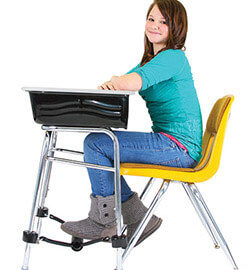
Body fidgets. Unlike smaller, handheld fidgets, body fidgets allow other parts of the body to interact with the fidget, leaving the hands free for work.  Foot fidgets can be attached to chair or desk legs, allowing users to kick, push and pull the heavy elastic bands with their feet.  For users who frequently change work spaces, portable foot fidgets are available; these can be placed under the workspace and interacted with in the same manner. The footroller is a unique body fidget; fidgeters place their foot on the roller, spinning it forward, backward, or both ways. Another unique option is the Foot Swing; the foot swing allows for a silent swinging motion of both feet, independent of each other. 

Weight. Adding weight to the lap or shoulders is a great way to center, orient and calm an over responsive or anxious system. An added bonus, many offer textured covers for additional tactile input.

boy sitting at a desk with ta weighted neck wrap around his neck and resting on his shoulders

For those who just need a change of scenery, setting up an alternative work spot is a great way to refocus.  Some options include: 

  • Standing at a counter height work space or taping work to a wall are options to allow for standing positions while working. To add a little dynamic movement, try standing on a foam wedge or air cushion.
  • Laying Down.  Working while laying on the stomach is a great way to provide proprioceptive input through the shoulders joints (perfect for those needing calming and organizing input).  This position also gives students who are struggling with postural instability to get more support so they can focus on their work and not on staying stable!  Use yoga mats or cushions to provide comfort and a clipboard or slant board as a work surface. 
  • Get Cozy.  Another option for a position change is sitting in a bean bag, Howda Designz Chairs or the Comfy Cozy Peapod Chair.  While not the best option for all types of tasks these options are great when the activity involves reading or listening. The deep pressure input provides calming and organizing input.

Having a variety of seating options available in any learning space is a sure way to increase focus and attention.  Identifying options that are appropriate for the user and the environment is key for successful implementation. 

Reference:

Cole, K., Schroeder, K., Bataineh, M., & Bataineh, A. (2021, April). Flexible Seating Impact on Classroom Environment. The Turkish Online Journal of Educational Technology, 20(2), 62-74.

Developing Sensorial Skills

Allyson Locke M.S., OTR/L

Porch, the home services platform, recently reached out to Therapro for help with their latest article, Expert Advice to Design the Ultimate Kids Playroom at Home. The question needing an answer was, what toys and products can help kids develop sensorial skills? Therapro’s team of experts had a lot to say on this topic! Read on to see what Therapro shared and be sure to check out the full article!

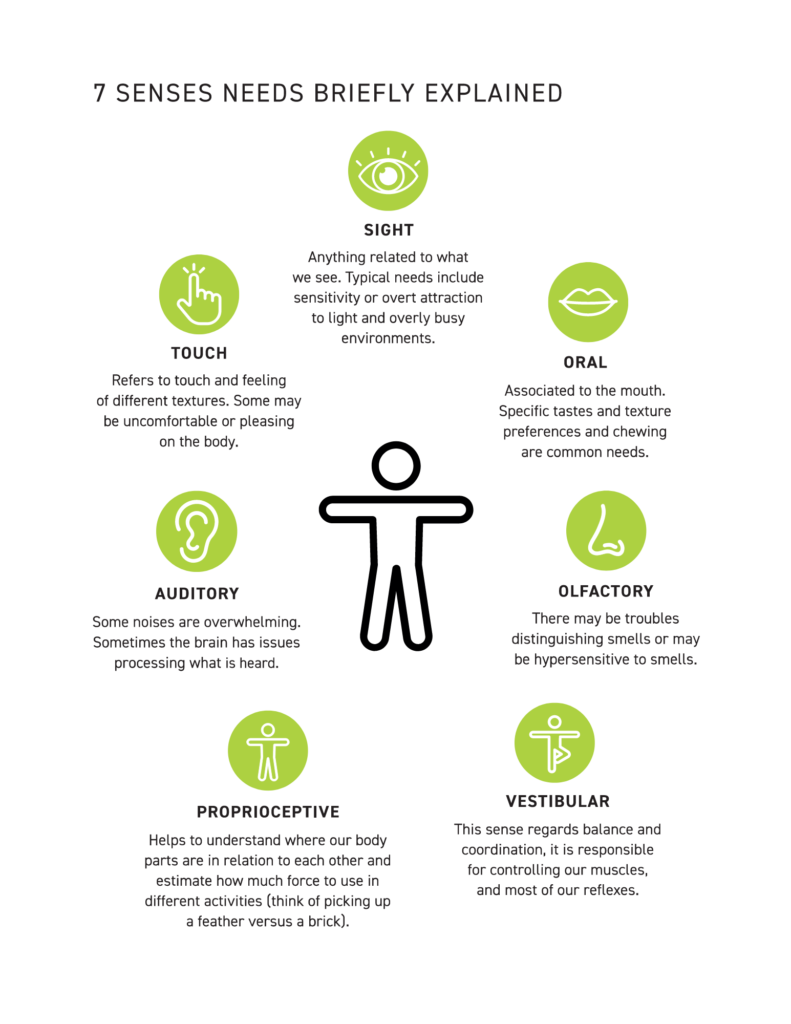
Sensorial skills encompass the five well known sensory systems tactile/touch, gustatory/taste, olfactory/smell, auditory/hearing, and visual/ sight as well as the lesser known vestibular and proprioceptive systems.  With so many different systems the answer to this question is quite extensive.

Fidgets and chews are typically well known and well associated with sensory and sensorial development. Chews, as their name implies, are a category of items that are designed to be chewed. Chewing provides great proprioceptive input through the jaw area; this type of input can be very helpful for soothing but also great in the development of this system.  Some chews have added textures (like bumps or ridges) that add a tactile component.  Therapro offers a free handy guide, Choose Your Chew, to help make it easier to find the perfect chew.  Fidgets are generally small objects that are held or manipulated. There are many fidget options available; depending on the fidget’s characteristics, they can help alert (wake up) or calm the sensory system.  Therapro offers a free handy guide, Find Your Fidget, to make it easier to find the perfect fidget.

Games and activities that involve movement and body position sense are great for targeting the vestibular, tactile, and proprioceptive systems. Some examples of games include; Trunks, Spark Action Floor Game, and the Body Awareness Fun Deck.  Movement based activities include playing with a parachute, riding a scooter board, completing sensory paths, doing yoga, and making obstacle courses with things like balance beams or stepping stones.  Adding music enhances the movement experience by adding an auditory component.  The resource Sensational Fun: Recreational Activities For Sensory Diets And Fun, includes over 100 activities for parents and teachers who are looking for some great sensory games using common objects found in the home and school (free sample activities are available!).

Games and activities that involve touching and feeling are great for targeting the tactile sense. Games and activities that have a specific tactile focus include; Tactile Search & Match, Feel ‘n Find, Ruff’s House Teaching Tactile Set, and Gel Activity Pads. Playing with clay/ playdough is another great option and scented dough has the added benefit of bringing in the olfactory sense. 

Multisensory environments are another option for immersing in the sensorial experience. Unlike traditional multisensory environments, the Luminea line of products offers an interactive component through its app or optional switches.  With this, Luminea allows for true interaction between the user and components which is essential for sensorial development.

Play is a necessary component in the development of sensory skills. There are a vast variety of toys and products available to enhance the development of play. In choosing the most appropriate toy or activity considering a child’s interest, developmental level, and skill areas you wish to target are key! 

The Luminea Corner, a compact yet impactful sensory environment

The Luminea App: Awaken Sensory Channels

In this post I want to talk about the free Luminea App which will allow you awaken sensory channels in a whole new way. The Luminea App allows you to control any Luminea lighting device in your space or a multisensory room in a very fun, creative and playful way. The Luminea App has been designed to make the most of therapeutic intervention in a space or sensory room (or even in a Snoezelen room), as it serves to control the colors of the different lighting elements in a simple manner, and facilitates development and learning.

It is free to download, and once you have it installed on your Android smartphone or tablet you can start controlling all the Luminea lighting elements of your room, such as the bubble tube, the fiber optics, a ball pool, etc. You can control them individually (by changing the device type in the menu) or in groups for a more immersive effect.

Using the Luminea App to develop fine motor control.

What Can I Do With The Luminea App?

The Luminea App allows you to control the Luminea lightning devices from your smartphone or tablet by changing the color of the devices when touching on a photo. In this way, the colors of the light changes according to the subject matter. Imagine, for example, that you tap on the yellow part of a rainbow image and the lights in your room turn yellow. Or, the bubble tube turns green when you tap on a photo of a kiwi fruit or all the lighting elements in the room turn red when you tap on a clown’s nose. It’s so fun!

This App includes a variety of activities and games for you to play with lighting elements and lets your users or students take control of the room. In addition, you can customize everything, record color sequences or add as many photos as you want (your own or internet ones) to make the sessions more personal.

What does it mean? Only with  Luminea App you can include countless customized activities in your sessions:

  • Create choreographies with your favorite music and make all the elements ‘dance’ with you. You can play these choreographies whenever you want, as they are stored on your device.
  • Upload your own photos and play with their colors. You can upload a photo of your last holiday or your favorite animal, and by tapping on a colored point in the image, all the room will turn that specific color. ¡It works automatically!
  • It includes multiple games and activities, but you can also create your own unlimited activities.
Using the Luminea App in a Ball Pit

We help to promote and encourage cause-effect relationships with these types of games, as well as memory, choice, interaction… In the case of group activities, it also helps to enhance communication, joint attention and social skills.

Start With A Small Corner!

With the Luminea App you can control all the Luminea light devices and become a master of light by taking control of your room like never before. If you want to get started in the sensory world, you can start with the Luminea Corner, which allows you to have a small interactive world made up of a bubble tube, and fiber optics and to add devices little by little, as they will always be compatible

The Luminea App is fun and therapeutic; it combines the elements of your multisensory room in a group setting and takes your users into an immersive world. In this video we show you all the Luminea elements and how easy it is to use the App. In addition, you can learn about other different ways to control your devices, according to the switch your users prefer (a giant die (Sensory Cube), a colored mat (Sensory Step), etc.)

How Does Luminea App Work?

The Luminea App is very intuitive and easy to use.

  • All you need is an Android smartphone or tablet connected to the same WiFi network as your multisensory room (and all other Luminea devices). It works with one or add all of them at the same time!

Guest Blogger: Alba Alier, SLT