Category Archives: Assistive Technology

Delve into assistive technology solutions that support communication, mobility, and independent living for individuals with physical, cognitive, or sensory challenges in all settings.

The functionalhand® Supports Your Child’s Learning!

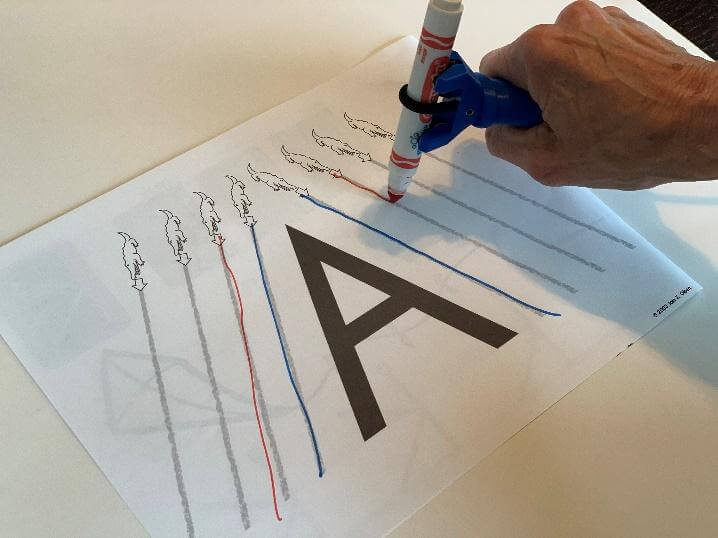
For children who have difficulty with muscle tone, movement and motor skills, they may lack the hand control to hold writing utensils.  This may impact their ability to complete academic skills at the level they are capable of. The functionalhand® supports learning by reduces fine motor demands allowing your child to focus on discovering letters, numbers, counting skills and so much more.

Child using the functionalhand to write the letter A

Children learn through a variety of sensory experiences. Processing auditory and visual cues in combination with movement enhances cognitive or academic concepts.  The functionalhand® reduces the physical demands of academic tasks and allows the child to have more energy to focus on learning. Tracing and copying activities are completed with less effort.

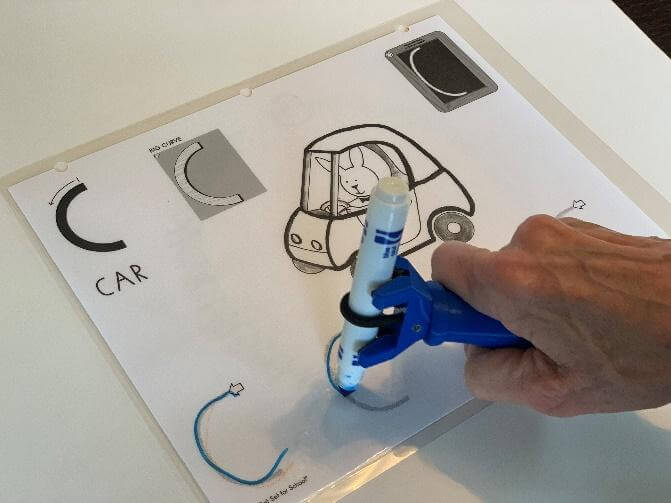
Child using the functionalhand tool  to participate in a writing activity

The functionalhand® allows children to participate in formal writing programs that teach letters such as “Handwriting without tears”.

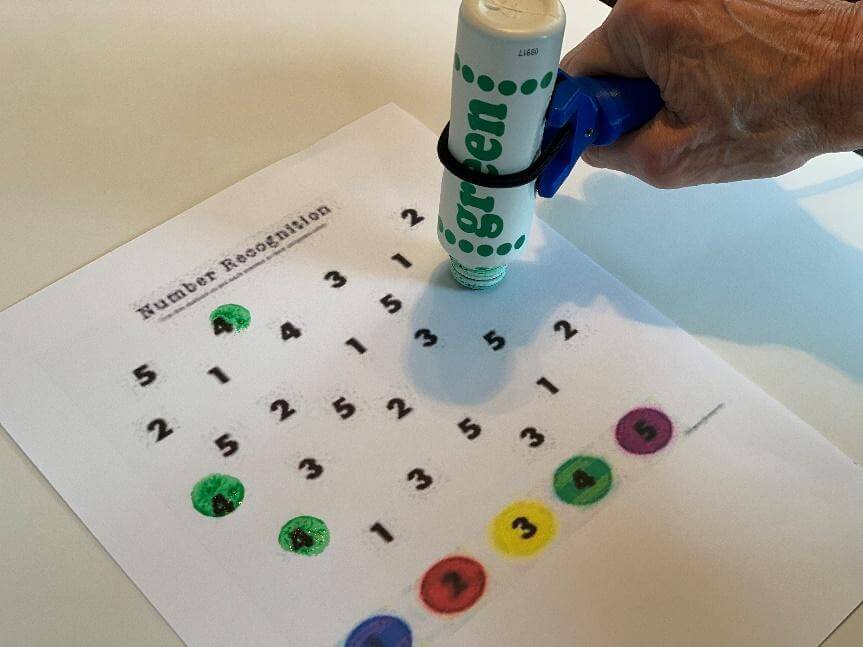
Child using the functionalhand® to support participation in a math activity

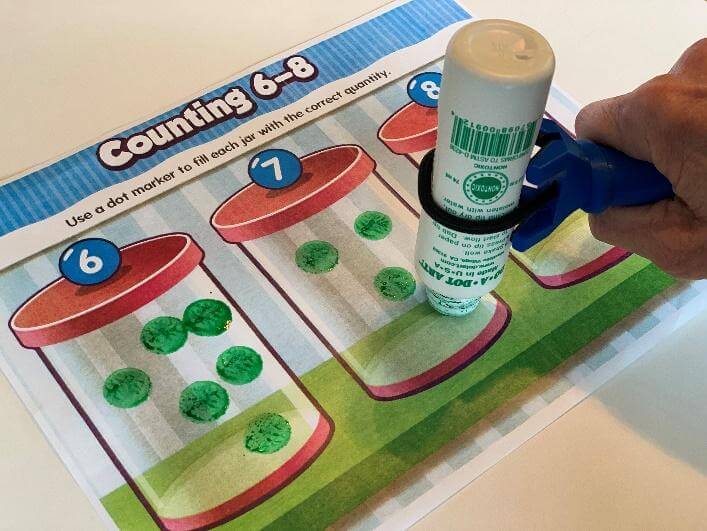
Dot markers are another “tool” that the functionalhand® assists children to hold and practice number recognition and matching skills.

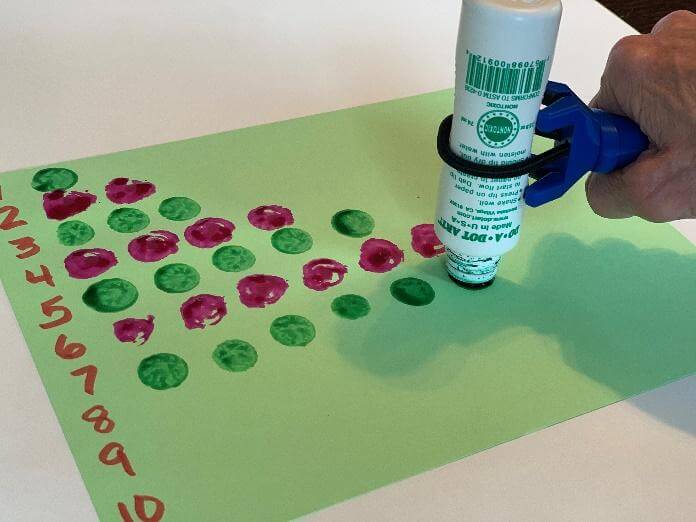
Child using the functionalhand® to support participation in a counting activity
Child using the functionalhand® to support a learning activity

In addition to number recognition, there are a variety of activities a child can participate in that supports math skills.  This universal device enables individuals who cannot hold a writing utensil in their hand, to complete academic skills.

Guest Bloggers: Linda Merry, OTR/L, NDT/C and Celine Rosati Skertich, PT, MS, PCS, NDT/C, creators of The functionalhand®.

Assistive Technology in Schools: Enhancing Accessibility and Learning

Assistive Technology in Schools presenter Kristi Voelkerding, BS, COTA/L, ATP, ROH

Assistive Technology in Schools was presented by Kristi Voelkerding, BS, COTA/L, ATP, ROH on a brisk February morning at Therapro headquarters with 45 attentive, engaged, interactive, vocal attendees.

Kristi has forged a distinguished career path as an AT specialist who is in demand as a speaker. She has worked for Easter Seals primarily as a consultant mainly in school-based settings since 2000. Her breath of knowledge regarding assistive technology is extensive and current. In a field where technology changes constantly, she is a wonderful resource for therapists, teachers, and families. AOTA conferred upon Kristi a Roster of Honor award in 2007 to recognize her leadership in AOTA and her innovative practices in assistive technology.

Kristi’s seminar spurred audience interaction regarding apps recommended and apps used successfully with various age groups. She discussed using technology as a “bridge” that should be introduced early in school so that students can access learning in ways that are unique to them and their needs. She initiated her talk with discussion about the broad variety of keyboards available that can match a student’s needs. She advocated that the student must find what method of keyboarding is fastest for him/her, be it one finger, one hand, two hands, or even the nose or foot. She suggested creating word lists on the computer to practice learning the geographical area on the keyboard. Kristi cautioned that layering copying (motor task) with thinking about the content of the task (cognitive task) is difficult. She recommended that a speech recognition program be used if the student has difficulty holding the thought while trying to type it. Creating a first draft on the keyboard was recommended rather than writing, and then copying it onto the computer.

Kristi noted that more schools are moving toward using the chromebook because it is more cost effective than an iPad, especially if it’s damaged and needs to be replaced. In addition, work on the chromebook is not lost if the device is damaged. A negative of using the chromebook is that a user cannot be “locked in” to a particular site. User needs must be considered when deciding which device would be best.

Apps are available for all age groups. iTrace is an iPad app for teaching handwriting, spelling, and letter identification. It may be a great place to start with a preschool student. Kristi advocated for using a stylus vs. using a finger for handwriting work, and in this app the student uses a stylus. For students who are moving from high school to college, there is “transition technology” available that promotes the shift from using adult support to depending on technology instead. For older students, she discussed using the Livescribe, a smart pen that facilitates note taking by recording everything you hear, write, and draw. The smartpen records audio and links it to what the student writes. Another note taking app for use with an iPad is Nebo MyScript, which lets you write, draw, quickly edit and structure notes, and convert them into digital text, using a stylus.

Kristi provided a number of resources for PCWindows Programs, Chromebooks/Chrome apps/add-ons/extensions, and Websites/Web-based apps. The resources have grown exponentially in the past few years and continue to swell. We are grateful to Kristi for sharing her expertise and experience navigating this area of practice.

Take a look at some attendees’ positive responses to Kristi’s seminar:

“Kristi was informative & knowledgeable regarding the materials presented. Lots of material I can use on Monday at school.” – Alyson P., Occupational Therapist

“Very informative and interactive. Well presented.” – Jillian N., Occupational Therapist

“Lots of useful info.” – Marisol P., Teacher/Parent

“Very knowledgeable speaker. Very receptive to gearing her talk to audience needs. Lots of info presented.” – Anonymous, Occupational Therapist

“Learned abut some new, exciting, & cutting edge technology.” – Sharon T., Occupational Therapist

Thank you, Kristi!

Filomena Connor, MS, OTR/L
February 23, 2018

Creative Uses for Slant Boards and Positioning Cushions

Handwriting and writing position are often discussed in a school setting but what about our other clients? Let us consider a patient who is in the hospital. Enabling a patient to engage in drawing, art, a pre-writing task, or writing itself following an illness or injury is invaluable. However, it can be a challenge to provide the necessary angle for a writing surface when working at the bedside. Some hospital-based OT departments have a table surface that adjusts in height as well as the angle of the writing surface, but slant boards and positioning cushions are not always available.

Slant Boards used for Positioning

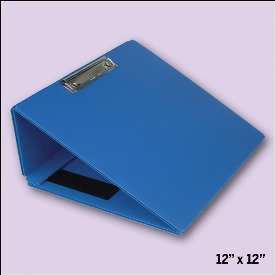
The various slanted writing surfaces available through Therapro offer the solution. I particularly love the Collapsible Writing Surface. It opens the door to varying both the activity used in treatment as well as the location for the session.

Imagine for a moment a patient in an orthopedic ward following an MVA. The patient has multiple fractures with exoskeleton / P.O.P. and is depressed and uncooperative with all staff members. After persuading the doctor to refer to OT, a brief history reveals that the patient is an artist and the thought of not being able to draw is what depresses them enough to interfere with function on all levels.

As an OT, we can build up the grips of a pencil or paint brush. Another option to easing use of writing implement is through Triangular Pencils. Triangular writing implements can also enable a patient of this nature to return to drawing by easing the demands of the small muscles in the hand. Although strengthening these muscles will be important, the first step might be to encourage return to meaningful activity, hence the need for an easier means of holding the writing or drawing implement.

Using the portable, collapsible slanted writing surface or easel, one can now take the patient out of the ward (whether on a trolley or in a wheelchair) and into either the OT department or, better still, the garden. A change of environment does wonders for the patient psychologically, not to mention the hope offered by enabling an artist to return to what they love best – drawing, painting or creating. Many artists gain inspiration from nature, hence being able to get into the garden can literally be a breath of fresh air that instills a desire to regain function.

Through this brief example, we can see that writing and being involved in creative pursuits is a necessary skill and activity for various age groups and types of clients, not only for children at school. The tools and equipment that are beneficial in the classroom can be equally important in a hospital or other setting.

The write slant boards or Better Board Slant Boards are also of benefit to:

  • a woman who is expecting and is placed on bedrest.
  • the elderly who has limited space due to downsizing and increasing need to take care of their backs. The fact that the slant boards are light and collapsable makes handling and storage easy for an older person.
The Movin’ Sit Air Cushion used for Positioning

Still related to positioning, two cushions that I have used quite often in my practice are the Disc‘O’Sit and the Movin’ Sit Air Cushion. I love the fact that they are portable and adjustable in terms of air pressure. This makes it possible to take these cushions to a treatment or evaluation in a home or workplace.

One group of clients I have found to benefit from these cushions is a pregnant woman who is experiencing lower back pain. Pregnancy related lower back pain is a common complaint which can be alleviated with appropriate exercise and positioning.


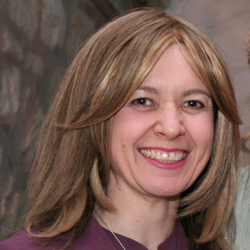
Guest Blogger: Shoshanah Shear

Guest Blogger Shoshanah Shear

Occupational Therapist, healing facilitator, certified infant massage instructor, freelance writer, author of “Healing Your Life Through Activity – An Occupational Therapist’s Story” and co-author of “Tuvia Finds His Freedom”.