Tag Archives: classroom strategies

Classroom strategies encompass OT-informed approaches that support attention, posture, sensory needs, and motor skills to help students succeed academically and socially.

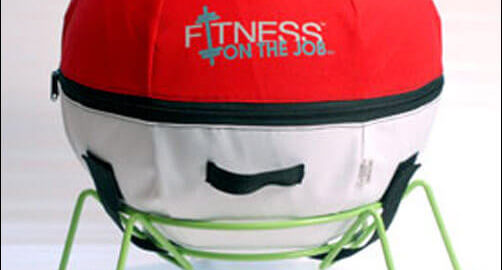
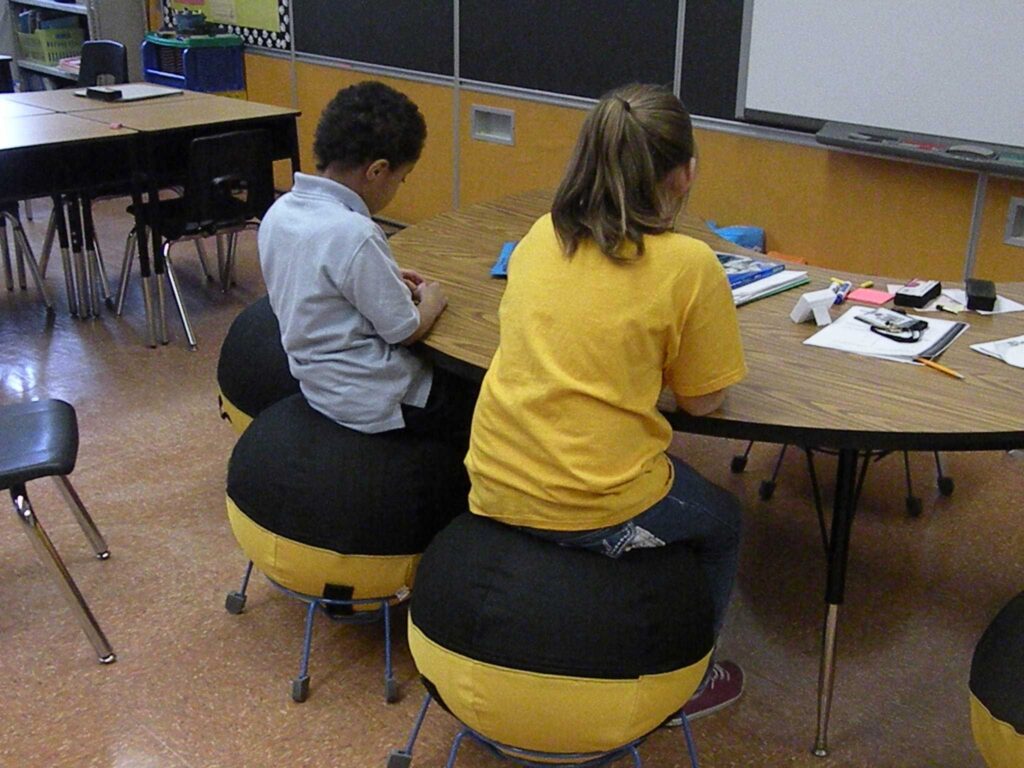
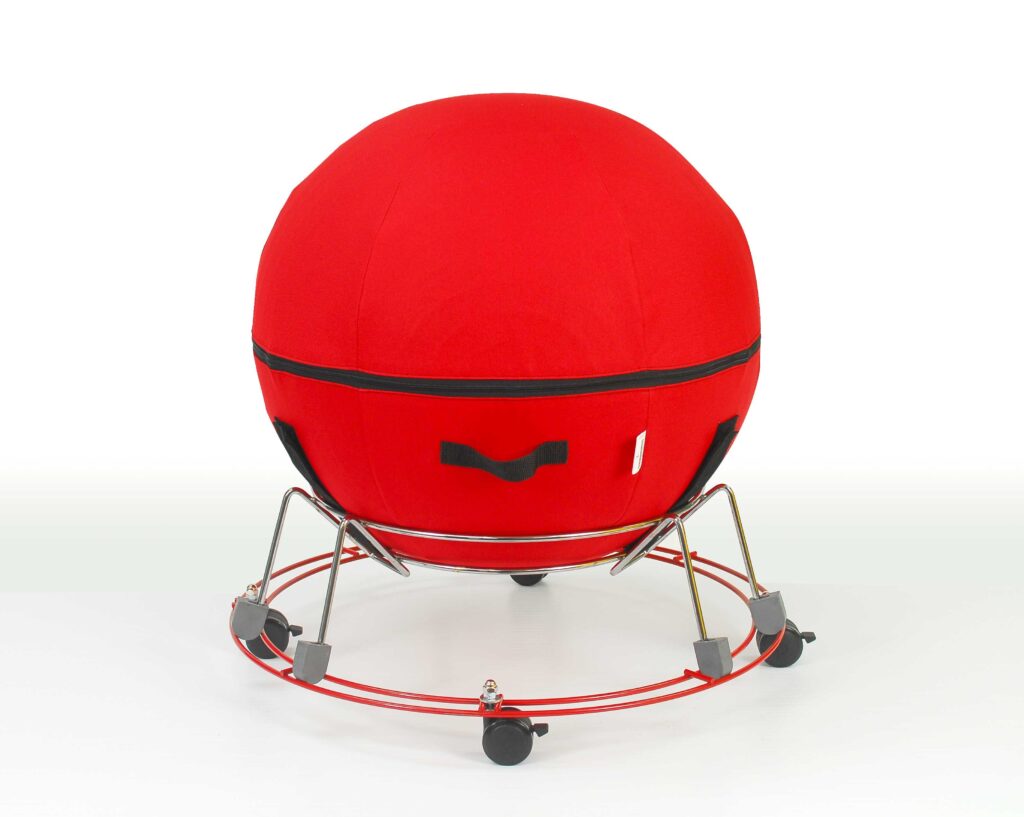
the alert seat a large round ball inside a metal base with wheels for sitting

Flexible Seating Spotlight: AlertSeats

Could your class or sensory room benefit from flexible seating that will absorb user energy, enhance posture, encourage time on task, and moderate repetitive motion, all with a positive sensory input?  If you’ve just answered ”Yes” then the AlertSeats® are right for you.

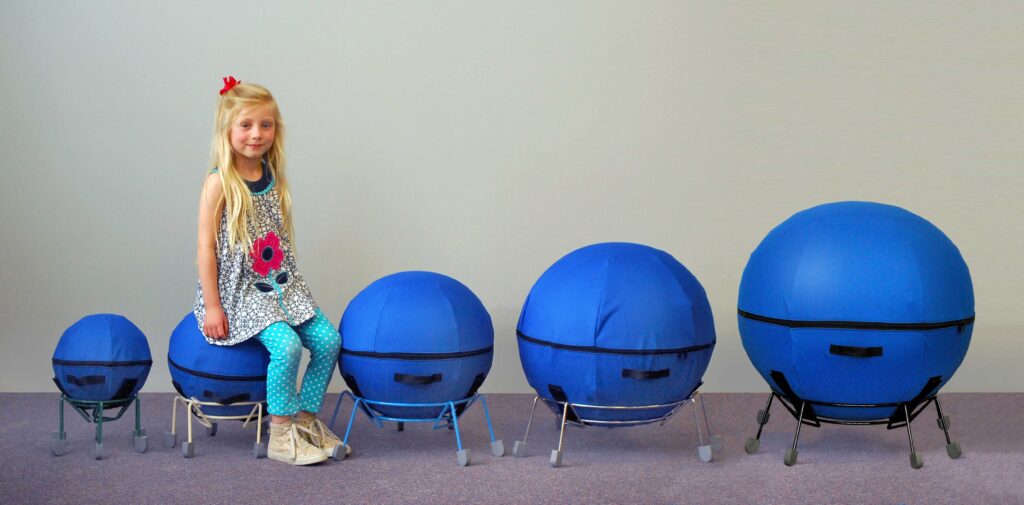
Therapro has them. Available is five sizes, AlertSeats® will fit every one of your students. Choose from 5 stock sizes to provide comfortable active movement seating for pre-K students to the tallest teens or adults.

AlertSeats® have seated thousands of active learners in hundreds of schools and therapy settings throughout the US and Canada since 2009.  Made in the US, they offer guaranteed durability, versatility and comfort in a proven design.

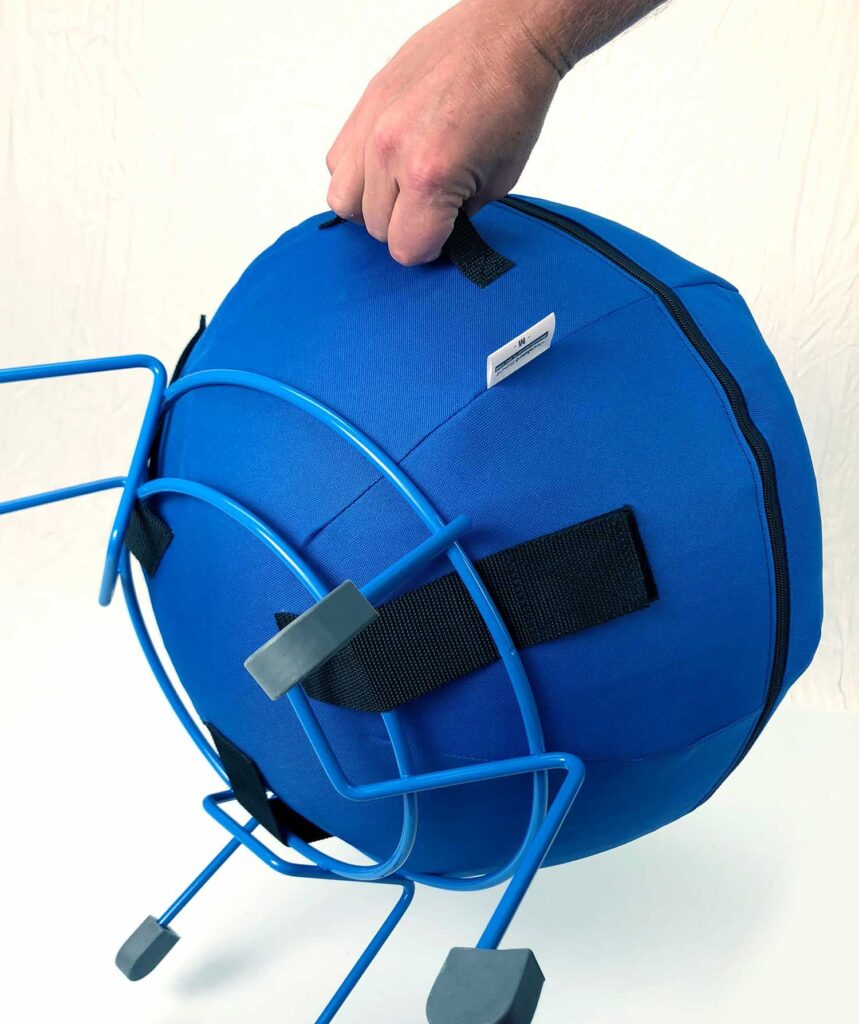
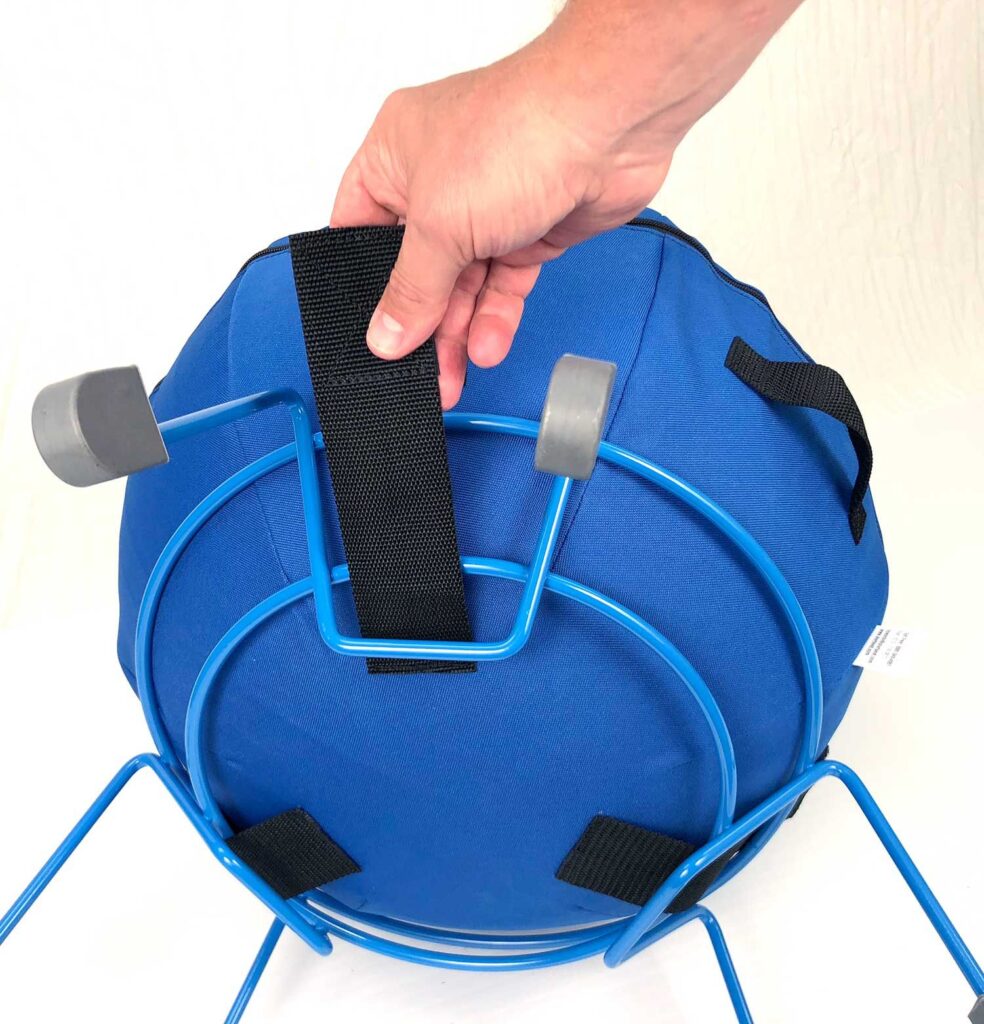
Just three sturdy components make up the AlertSeat — Base, Ball and Cover.  They ship compactly and assembly easily with adjustable firmness.

Here’s what teachers and therapists using AlertSeat are saying:

“I absolutely love your (AlertSeat) ball chairs, and have been using them in my classroom for over 6 years.” 

Jessica- New Hampshire elementary school.

“Students seem to flourish with the use of the (Alert)seats, as they are better able to focus on the work at hand.”

Indiana Life Skills teacher, students ages 7 to 12

  “We’re all about data. We’ve seen results with AlertSeats in students with a range of disabilities” 

Kate, a Pennsylvania large district school-based OT

AlertSeats® steel bases feature six or eight legs and rubber feet.  They’re warranted for 10 years.  Every assembled AlertSeats® will support up to 300 lbs. Bases nest for efficient shipping and storage, and are color matched by size.  Color coded interior balls are correctly positioned inside their cover before shipment, with a manual pump included and full instructions.

AlertSeat® covers, with double zipper pulls, go on and off easily, and include strong Velcro attaching straps and a handle for a totally secure and stable but readily removable attachment to their base.  Covers are sewn from an abrasion resistant laminated woven nylon fabric that is cold water washable and stain resistant.

Interior balls are heavy duty ABS molded to fit correctly and adjustable to provide the level of seating comfort that best suits each student.  Ball covers and balls are warranted for 2 years in classroom service.

Optional removable mobility dollies with lockable swivel casters can be added to any AlertSeat® in all sizes except the smallest.

AlertSeats® in use will never roll around the room or create a hazard. They can easily be placed on top of the desk to facilitate after school cleaning.  Other great features of AlertSeats® include:

  • No flimsy plastic parts or bolted connections to crack or fail in service.  
  • Safety and total stability combined with stimulating, energy absorbing motion define AlertSeats® wherever they are in use.

Put a correctly sized AlertSeat® into your classroom, therapy or sensory room soon. 

Guest Author: Howard Newman. Howard Newman of Newman Adaptive, introduced his unique concept of fitness and nutrition in the work place in 1991. Howard is the engineer of AlertSeat and AlertDesk.

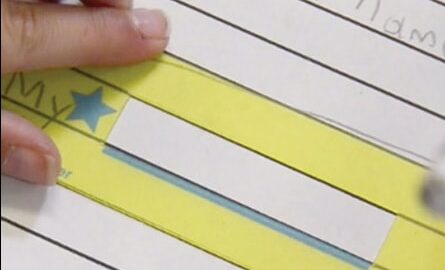
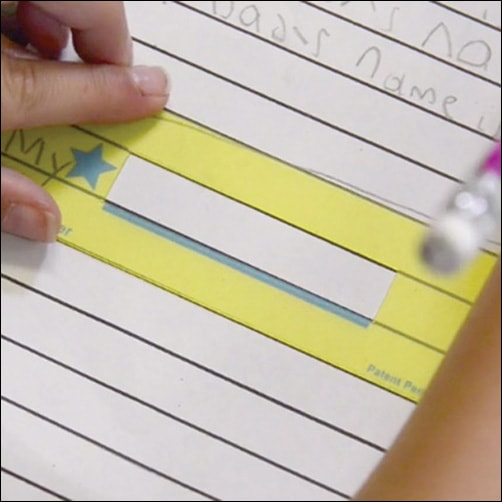
Star Spacer is a clever handwriting tool made of see-through plastic which acts as a guide to help the child understand spacing, sizing, and alignment of letters and words to promote more legible handwriting

Using Assistive Technology to Engage All Learners

On June 8th the Therapro team was supposed to set up a booth at the 2023 New York City’s Department of Education (NYCDOE) Assistive Technology Expo but unfortunately poor air quality from the Canadian wildfires meant the event was canceled. However, we still wanted to showcase the many ways assistive technology can be used, in the classroom, to engage all learners. In this blog post we are covering the modification ideas we were planning to display at the conference.

Reading

There is a lot involved in reading a book; readers must have the ability to attend and focus, they must have the fine motor ability to turn the pages of a book, and they must have the visual skills needed to see the words on the page. When reading a book is further complicated by these challenges, engagement can decrease. Fortunately, there are several ways assistive technology can be used to address these challenges.

HIGHLIGHTER STRIPS

Adaptations for Low Vision or Decreased Focus

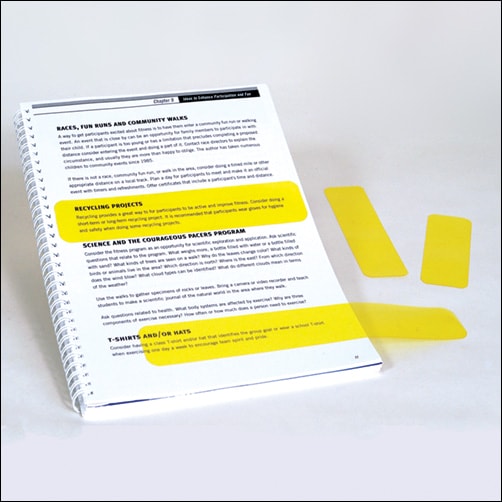
Highlighter strips are simply strips of specially designed yellow material that stick to the pages of a book with static electricity. Highlighter strips brighten written words on a page making visual processing easier. These strips are especially useful for students with attention difficulties or who have low vision.

Black better board slant board

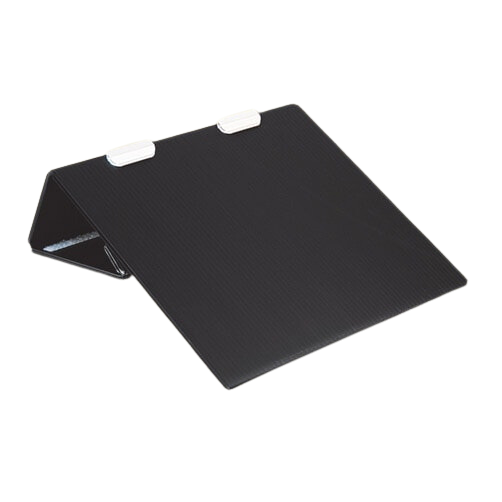
Slant boards have a variety of uses, for students who have difficulty with attention and focus they are a great tool to use when reading! The angle of the board will bring the book closer to eye level minimizing distractions and increasing focus. Pro tip: Learn more about the different uses of slant boards in our previous post: More Than Just A Slant Board!

Adaptations for Fine Motor Difficulties

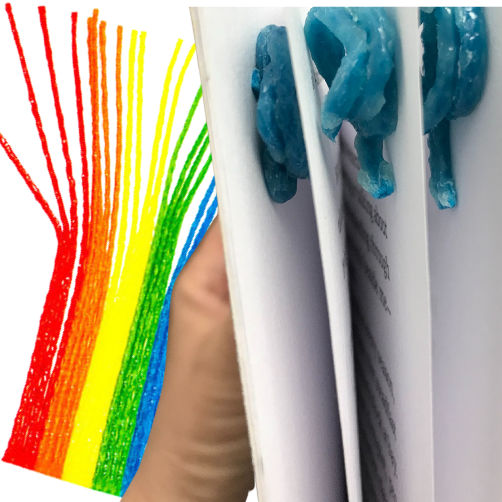
Wikki Stix are wax colored strings that are often used for craft projects. However, these moldable, slightly sticky strings are a great option for creating removable ‘page lifts’. Simply shape the Wikki Stix into a small spiral or mound and place one on each page of a book. This will separate the pages of the book making it easier for students with fine motor limitations to turn the pages of the book.

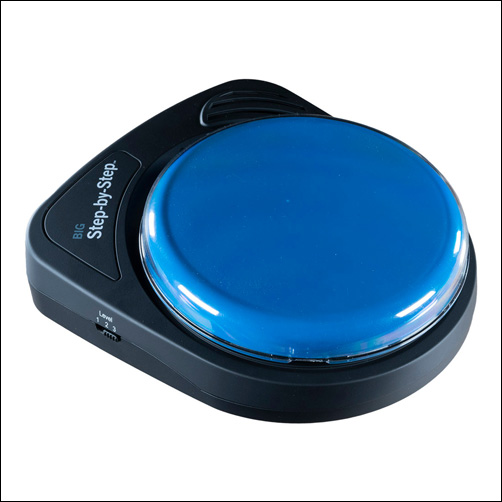
BIG Step-by-Step with Levels

Adaptations for Emerging Readers

Step by Steps (available as Little or Big) are often used as communication devices. However, they can be a handy tool for learners with limited or emerging literacy skills. To use, record as you read aloud the pages of the book. When the user is ready to ‘read’, they would hit the switch to hear the recording of the book. To make this more interactive and to better imitate the act of flipping through the pages of a book, use the sequential feature to record page by page. With this the ‘reader’ would hit the switch to hear what is on the next ‘page’.

To learn more about supporting literacy skills check out the January 2022 post, Supporting Reading: More Than Just Literacy Skills

Writing

Just like reading a book, writing also requires many skills; these skills include the fine motor ability to effectively hold a writing utensil, the visual perceptual ability to coordinate visual input with motor output, and the sensory ability to accurately grade force. Difficulties in any of these areas can adversely effect handwriting legibility, speed, and endurance for writing tasks. The good news is that there are many accommodations and modifications that could be used to help with these difficulties.

Adaptations for Decreased Handwriting Legibility

Handwriting legibility is often influenced by writing with poor sizing, difficulty orienting letters to the writing line, or letter spacing issues. Check out some of the options available to address these areas.

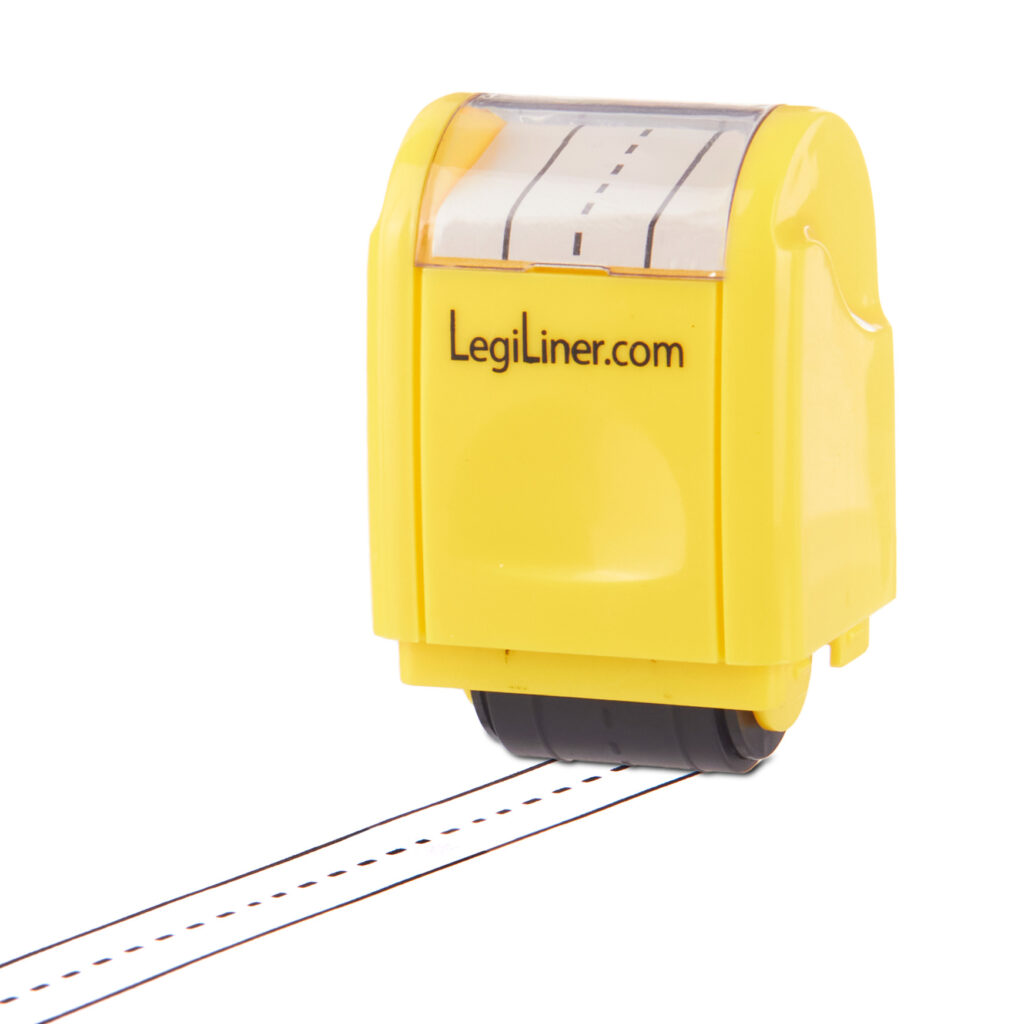
  • LegiLiners: LegiLiners are a rolling ink stamp that can be used to create a writing line on paper with open spaces. A writing line can be a game changer for students who have difficulty writing with the appropriate size. LegiLiners are available in a variety of styles and even have some great options to help out in math class!
Yellow legi liner
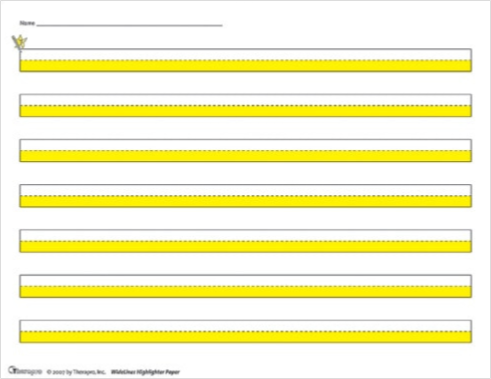
  • Highlighter Paper: Highlighter paper features highlighting in the lower writing area (available is yellow or blue). This highlighting helps indicate where letters should be placed. Another feature of highlighter paper is that the solid lines have been separated to assist the student with locating the writing area.
  • Raised Line Paper: Raised line paper is a unique paper that features a subtle raised line to indicate the top and bottom writing line. These gentle cues can be a great reminder for students who write outside of the writing area.
Narrow lined raised line paper
  • Spacers: Finger Spacers and Star Spacers each offer support to help students better understand correct spacing. The Finger Spacer is a great tool to teach correct spacing between written words; it is available as a one finger (1st to 3rd Grade) or two finger Pre-K to 2nd Grade) spacer. The Star Spacer is a clever handwriting tool made of see-through plastic that acts as a guide to help the child understand spacing, sizing, and alignment of letters and words to promote more legible handwriting.

Handwriting Speed & Endurance

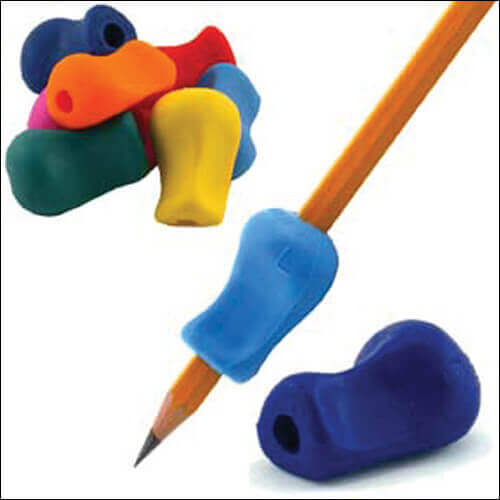
Handwriting speed and endurance for writing tasks is often impacted by difficulties related to grasp. Pen and pencil grips are a quick and easy solution. The blog post Get A Grip on Pencil Grips and Adapted Writing Tools! covered this topic extensively. Therapro also has a free handy guide, Get A Grip on Pencil Grips  that helps determine the best grip to fit your needs.

Extracurricular Activities

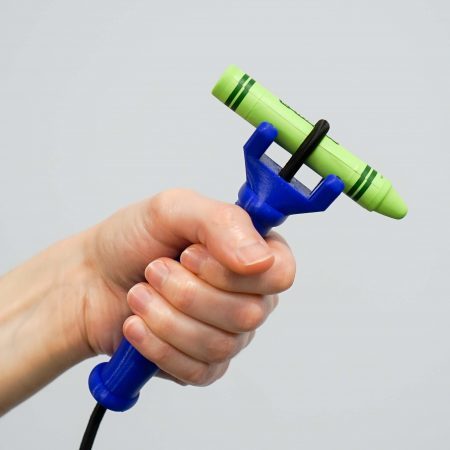
Difficulty grasping objects can impact a student’s ability to not only participate in academic tasks but can also impact the student’s ability to participate in extracurriculars like music or art class. Two unique devices to help with grasp and grip are the Eazyhold Universal Cuffs and the the functionalhand.

EaZyHolds

Eazyhold Universal Cuffs are an innovative solution to help students who have a weak or non existent grasp. These handy tools can be used not only in the classroom but also during extracurricular activities like holding a paintbrush in art class, holding drumsticks in music class, or a water bottle during gym. The silicone strap simply drapes over the back of the hand and the object is inserted into the two holes on opposite ends of the Eazyhold allowing the object to be securely held with the palmer side of the hand. Pro tip, not sure which Eazyhold is right for you? Check out Therapro’s What Can I Adapt Handy Guide for sizing recommendations!

The functionalhand

The functionalhand is another tool to aid grasp. The functionalhand‘s unique and flexible design allows the users to hold functional tools of many shapes and sizes in both the vertical and horizontal orientation. It is truly a universal cuff that is durable and supports a wide age range and types of disabilities. Pro Tip the functionalhand and Eazyholds work great when paired together to offer students both control and a secure grasp on tools.

Therapro had many ideas ready to display at the 2023 NYCDOE Assistive Technology Expo; we are disappointed we couldn’t meet you all in person but we are glad to have the opportunity to share these ideas here!

clock and calendar icon

Top Assistive Technology Tools for Time Management Support

The ability to manage time is an essential life skill that is critical to independence. When the ability to manage time is impeded by factors like decreased executive functioning abilities or cognitive limitations, independence can also be impacted.   In this post we are covering a few mid to low tech assistive technology solutions that can support time management abilities.

Schedule Reminders

Remembering to do a task at a scheduled time is one time management skill area. While smart devices are often loaded with ‘reminder’ features, there are times when a non screen option is preferred. The Time Cue is a great option!  Simply record any message and set the time for the message to be played. 

The Time Cue allows for a single message, up to 10 seconds long to be recorded and played back at a set time. For example, record “go to gym class” and set it to play 1:25 (or whenever gym class is happening!).  There is even a space to include a picture of the activity for additional support! 

Time Cue an Assistive Technology Tool for Time Management

Sequencing Helpers

Multi step tasks are another area of time management that present their own set of challenges including remembering the order of the sequence, remembering to do all of the steps in the sequence, and doing the steps for the correct amount of time. There are a variety of assistive technology options available that can help.

Two Minute Turtle toothbrush timer

The Two Minute Turtle Toothbrush Timer helps cue the user through the steps of toothbrushing, ensuring all quadrants of the mouth are brushed for the recommended amount of time. It works by pushing a button on the top of the turtle which causes one of the turtle’s fins to light up.  Each of the turtle’s four fins represents a quadrant of the mouth. Each fin will stay lit  for the recommended 30 seconds of brushing time. When time is up, the light in one fin will turn off and the next fin will light up indicating it is time to move to the next area of the mouth! Pro tip, this is also a great tool for handwashing!

Visual schedules, whether written out or picture supported, can be a game changer for individuals who have impaired executive function skills and who need support managing multi step tasks. Schedules can be created for specific routines (like a morning self care routine), for parts of the day (like a morning classroom schedule), or the whole day.  SchKIDules offers a quick and easy solution for creating picture supported schedules.  The Home Bundle includes 72, 2”x2” magnets that depict common routines, chores, outings and extracurricular activities.  The Education Bundle includes 66, 2”x2”,  magnets that depict common school and special education activities.

Schkidules visual schedule tool

Time Visualization Helpers 

Conceptualizing the passage of time is a third area of time management and this can be tricky!  Offering a visual repression of time and time passage can not only help with this concept but it can also decrease stress and anxiety.  Visual timers are the perfect solution for this challenge area.

Time Timer an Assistive Technology Tool for Time Management

Time Timers offer a simple solution for time management.  With the patented red disk, Time Timer makes elapsing time concrete by reaffirming the analog clock in its clockwise movement and provides the ability to judge how much time is left without having to know how to tell time. Simply move the colored disk to the desired amount of time,  as time elapses, the colored disk disappears.  

Resetea is a time management tool that offers the ability to sequence up to 12 related tasks. It is different from a typical schedule because of the unique light cue that marks the passage of time.  To set it up, first use the included  template builder to create a sequence of tasks (for example homework and then free time or math class, English class, lunch) and then place the  visual in front of the light screen. Next set the desired time for each activity (up to 60 minutes) and press start. The activity schedule is back lit with  progress colors; no light indicates future task(s), white light indicates the task in progress, and red light indicates task(s) completed. 

Resetea atech tool for time management

There are a variety of tools available to support users ability to manage time. Helping users access and utilize these tools will support overall independence!