Tag Archives: assistive technology professionals (ATPs)

Access curated tools, equipment, research, and resources tailored for Assistive Technology Professionals (ATPs) supporting individuals of all ages with access challenges across clinical, educational, and community-based settings to enhance functional independence.

Innovative Uses of a Pool Noodle as Assistive Technology

On Tuesday, August 11th, Therapro hosted another successful webinar, Assistive Technology Tips and Tools. Our presenter, Abbie King, M.S., CCC-SLP, engaged attendees with a fun activity, How Can You Use a Pool Noodle as Assistive Technology? Viewers provided some great ideas for new and different ways to use a pool noodle in the setting they are working in.  Check out some of the ideas below!  

Using a Pool Noodle for Physical Access:

  • Using on corners of desks/ edges for safety
  • Sitting balance for an infant with (decreased) trunk support
  • Side supports in a wheelchair
  • Holding utensils
  • Sliced open – place on the edge of a table or wheelchair tray to create a bumper
  • Place as a footrest border
  • Place a bungee cord inside and wrap it around the chair as a foot fidget

Using a Pool Noodle as Assistive Technology for Low Vision:

  • Put on the edges of desks so students can tell where the desks end, so as not to push items of
  • Use as a card holder
  • (Raised) border to a book or a slant board,
  • Cut into pieces and put different letters on them to make words
  • Hang beads to work on far/near focus
  • Bright colors can be used on handles
  • Prop ipad
  • Follow the moving noodle with your eyes in all planes
  • Tape together to make a circle, place over the desired object, visual/large core board
  • Stabilize cards
  • I spy games, looking through a pool noodle, scavenger hunts

Using a Pool Noodle as Assistive Technology for Hearing:

  • Talk through for sound
  • (Playing) telephone
  • Slap them together, hit balls, air wands
  • Play drums with pool noodles
  • Rubbing it with hands
  • Speak into one end and have the child listen to sounds on the other end to increase auditory feedback/sensory awareness

Using a Pool Noodle as Assistive Technology for Behavioral/ Emotional Challenges:

  • Sensory tool (fidget)  to squeeze, poke with golf tees, or roll a small piece 
  • Something to squeeze, grasp, or tap on the surface
  • As a reward, use it to play balloon volleyball
  • Rock right/left while grasping overhead
  • Take a turn talking
  • Deep breathing
  • Wrap around the child to create a “bubble zone” for teaching personal space and reducing anxiety from overstimulation
  • Attaching to the chair to kick to increase focus; hand fidget
  • Get anger out using a pool noodle to hit something…or make a “feelings fort” out of pool noodles

Other Uses for A Pool Noodle:

  • Theraband on the chair
  • Play as an obstacle course
  • Use for positioning
  • Boundaries on a table for a remote or switch-controlled doodle bug or car
  • Having a sword fight
  • Pencil grips

Assistive Technology Tips & Tools Webinar Recap

On Tuesday August 11th Therapro hosted another successful webinar, Assistive Technology Tips and Tools.  Our presenter, Abbie King M.S., CCC-SLP, gave a great overview of  assistive technology  and shared some great tips and tricks for assistive technology with attendees!  

As a very important first step, Abbie shared the differentiation of assistive technology and augmentative-alternative communication. To further highlight this, she presented the Assistive Technology Industry Association’s definition of assistive technology:

Assistive technology (AT) is any item, piece of equipment, software program, or product system that is used to increase, maintain, or improve the functional capabilities of persons with disabilities. (https://www.atia.org/home/at-resources/what-is-at/)

Next Abbie elaborated on the differentiation of low, mid, and high tech assistive technology.  The greatest takeaways of the evening were the fantastic examples and explanations Abbie provided for each of the different types of assistive technology.

Tips & Tools: Low Tech Assistive Technology

To facilitate grasp, Abbie demonstrated the use of EazyHold Universal Holds.  These are a great way for individuals who have decreased hand strength to hold everyday objects, such as paintbrushes! Abbie had a great tip for attendees, use hair elastics if EazyHolds are not readily available. She also demonstrated some great ways to adapt books for individuals who have decreased manual dexterity, how to use a glove to facilitate iPad access, how to make hot spot books, and how to use mainstream items to solve a variety of access challenges.  Abbie’s creative ideas were well received by attendees, as one attendee commentented: 

The examples of low tech materials were outstanding and so functional for day to day routines. Loved the diversity of usage for the materials!” -KE 

Tips & Tools: Mid Tech Assistive Technology

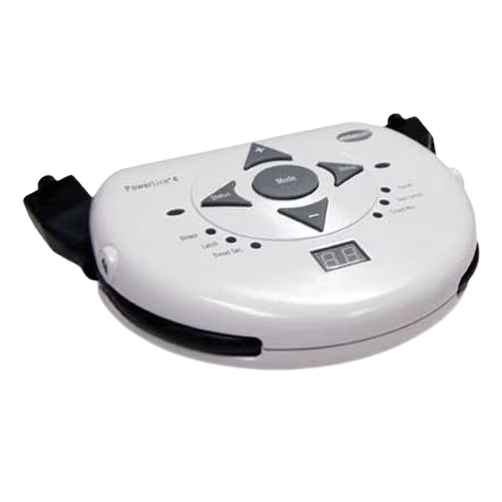
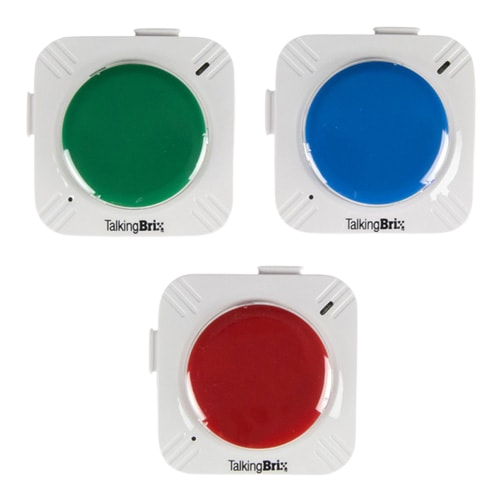
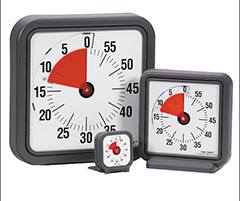
Abbie introduced and explained some great mid tech assistive technology tools including the Power Links, TalkingBrix, and Time Timers.  She also demonstrated ways to make everyday items, like a bubble blower, accessible by using a battery interrupter and a switch.  

Tips & Tools: High Tech Assistive Technology

Given that many classrooms are continuing with some form of remote learning for the upcoming school year, one of the most relevant topics covered during this webinar was Google extension and built in computer accessibility features. Viewers left with some great tips for making virtual learning sessions more accessible with Google extensions for text to speech, spelling and grammar, and comprehension. She also demonstrated some great built in accessibility features like captions.

The functionalhand® Supports Your Child’s Learning!

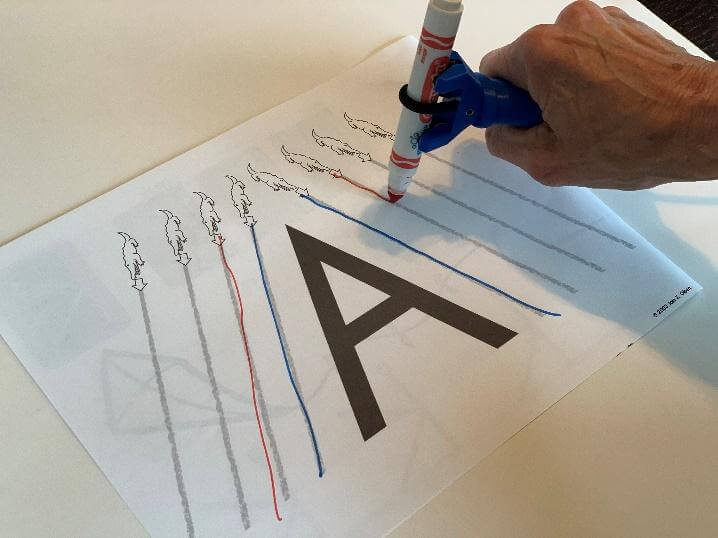
For children who have difficulty with muscle tone, movement and motor skills, they may lack the hand control to hold writing utensils.  This may impact their ability to complete academic skills at the level they are capable of. The functionalhand® supports learning by reduces fine motor demands allowing your child to focus on discovering letters, numbers, counting skills and so much more.

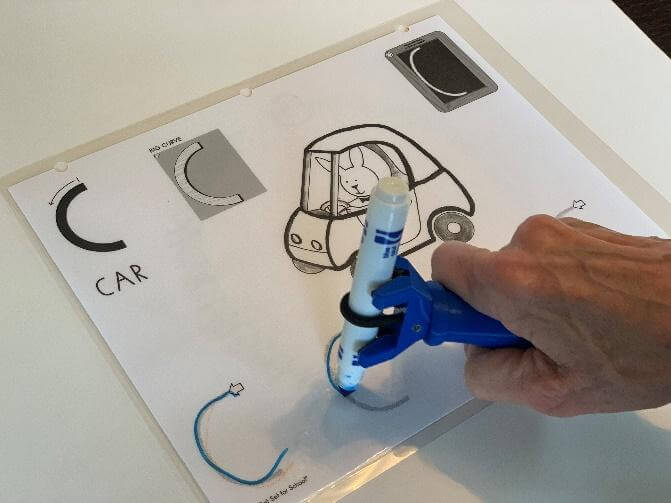
Child using the functionalhand to write the letter A

Children learn through a variety of sensory experiences. Processing auditory and visual cues in combination with movement enhances cognitive or academic concepts.  The functionalhand® reduces the physical demands of academic tasks and allows the child to have more energy to focus on learning. Tracing and copying activities are completed with less effort.

Child using the functionalhand tool  to participate in a writing activity

The functionalhand® allows children to participate in formal writing programs that teach letters such as “Handwriting without tears”.

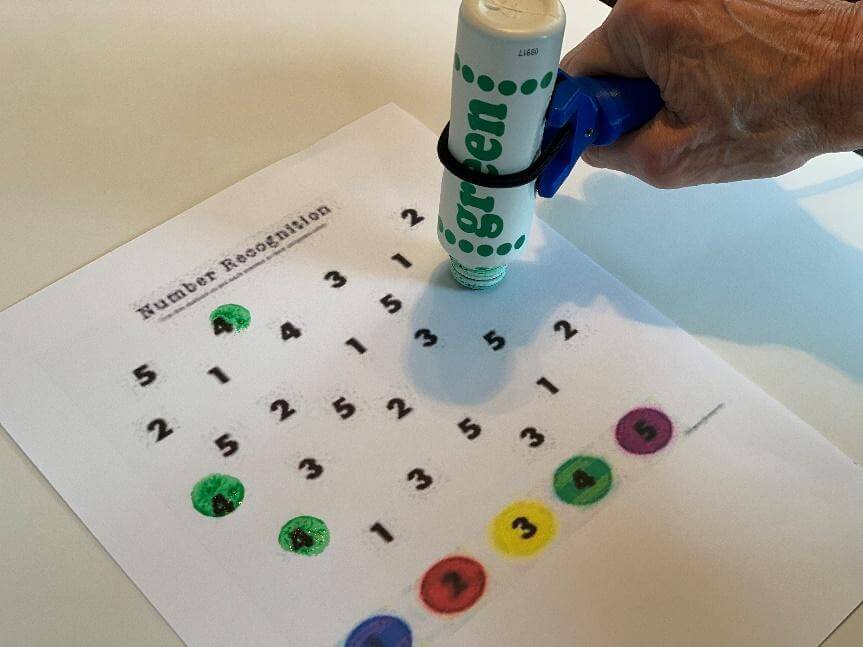
Child using the functionalhand® to support participation in a math activity

Dot markers are another “tool” that the functionalhand® assists children to hold and practice number recognition and matching skills.

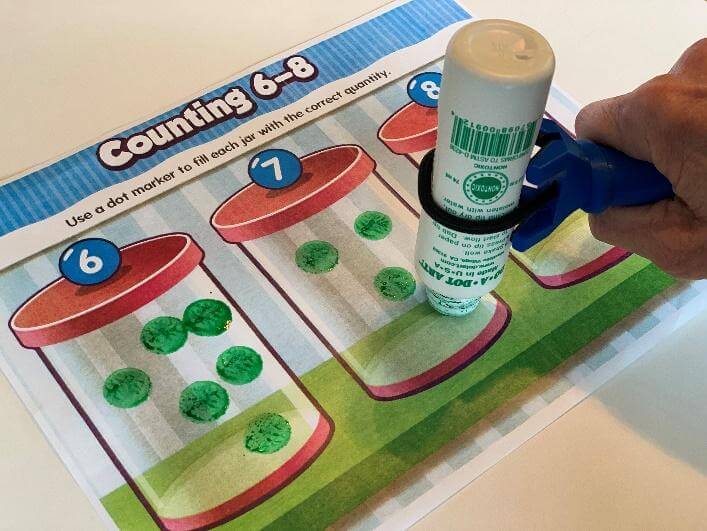
Child using the functionalhand® to support participation in a counting activity
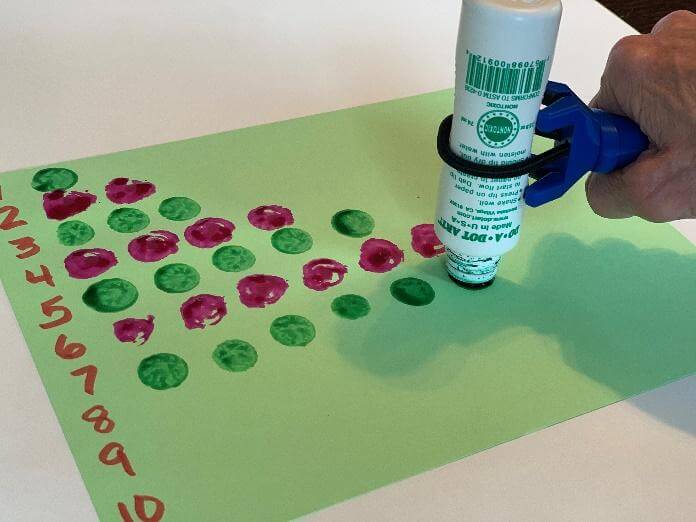
Child using the functionalhand® to support a learning activity

In addition to number recognition, there are a variety of activities a child can participate in that supports math skills.  This universal device enables individuals who cannot hold a writing utensil in their hand, to complete academic skills.

Guest Bloggers: Linda Merry, OTR/L, NDT/C and Celine Rosati Skertich, PT, MS, PCS, NDT/C, creators of The functionalhand®.